Realizing you've been scammed is a sickening feeling. Whether you clicked a bad link, fell for an item switch, or had your API key hijacked, panic is the natural first reaction.
Do not panic. You need to act quickly and methodically.
While it is highly unlikely you will get your items back (see our guide on Steam's restoration policy), you must take immediate action to secure your account, prevent the scammer from stealing anything else, and report the malicious actors to protect the community.
Here is your emergency action plan.
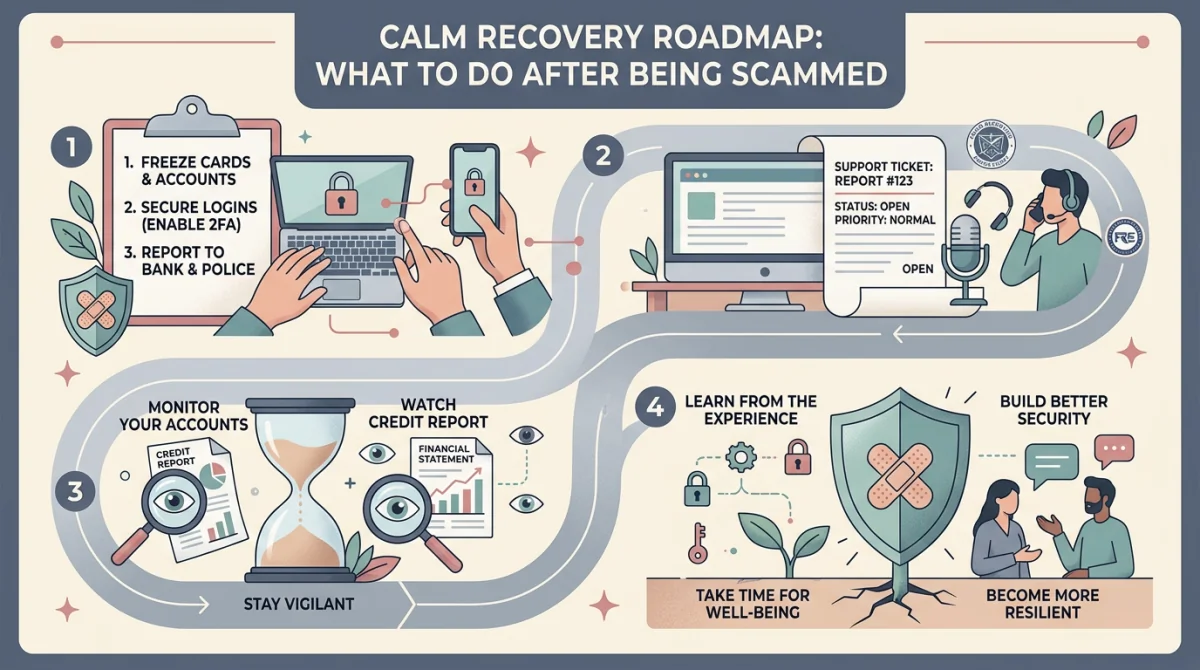
Phase 1: Immediate Account Lockdown (Do This Right Now)
If you suspect your account is compromised or you just clicked a phishing link, execute these steps in order, as fast as possible.
-
Deauthorize All Devices:
- Open Steam (Client or Web).
- Go to Account Details (click your name in the top right).
- Scroll down to Account Security.
- Click Manage Steam Guard.
- Click Deauthorize all other devices. This immediately kicks the scammer's automated scripts out of your account.
-
Revoke the API Key:
- Navigate directly to:
https://steamcommunity.com/dev/apikey - If there is a domain registered and a key visible, click "Revoke My Steam Web API Key". This stops the scammer from redirecting your future trades.
- Navigate directly to:
-
Change Your Password:
- Go to Account Details -> Change my password.
- Create a completely new, strong password that you do not use anywhere else.
-
Generate a New Trade URL:
- Go to your Inventory.
- Click Trade Offers -> Who can send me Trade Offers?
- Scroll to the bottom and click Create New URL. This invalidates your old link, preventing scammers who have it saved from sending you spam offers.
Phase 2: Damage Assessment and Evidence Gathering
Once the account is secure, you need to document what happened. This is crucial for reporting the scammer to community databases.
- Check Your Trade History: Go to Inventory -> Trade Offers -> Trade History. Identify exactly which items were taken and the exact account they were sent to.
- Screenshot Everything:
- Screenshot the trade history showing the loss.
- Screenshot the scammer's Steam profile (make sure their custom URL is visible in the address bar).
- Crucial: Get the scammer's SteamID64. You can find this by pasting their profile link into a site like SteamID.io or SteamRep.com.
- Screenshot all chat logs (Steam chat, Discord chat, text messages) related to the negotiation and the scam. Do not crop the images; capture the full screen.
Phase 3: Reporting the Scammer
You must report the scammer to get their account trade-banned and mark them as a scammer on community databases.
1. Report to Steam Support (Official)
- Go to the scammer's Steam Profile.
- Click the "..." button next to "Add Friend" / "Message".
- Select Report Player.
- Choose "They are involved in theft, scamming, fraud or other malicious activity."
- Provide a clear, concise description of the scam and mention that you have chat logs.
Note: Steam Support will investigate and likely trade-ban the scammer, but they will not return your items.
2. Report to SteamRep (Community)
SteamRep is the largest community-run database of scammers. A ban here prevents the scammer from using almost any reputable third-party trading site or Discord server.
- Go to
forums.steamrep.com. - Read their "How to Report" guide very carefully. They have strict requirements for evidence formatting (full, uncropped screenshots).
- Submit your report with the scammer's SteamID64 and your evidence.
3. If Cash Was Involved: Dispute the Charge
If you were buying skins and sent money via PayPal or a credit card, and the seller didn't deliver the item:
- Immediately contact PayPal or your bank/credit card provider.
- Open a dispute for "Item Not Received" or "Fraud."
- Provide your chat logs and evidence that the digital item was never delivered.
Phase 4: Acceptance and Education
It is a harsh reality of the CS2 ecosystem: Valve's policy is that all trades are final. Because they implemented the Mobile Authenticator, they consider users entirely responsible for any trade confirmed on their device.
Do not fall for "Recovery Scams." If you post about being scammed on Twitter, Reddit, or Discord, bots will reply saying, "Message @HackerPro on Instagram, he recovered my stolen skins!" These are secondary scammers. No hacker can break into Valve's servers and reverse a trade. They will just steal a "service fee" from you.
The only way forward is to learn from the mistake. Review the security checklist, understand exactly how the scam worked (whether it was an API hijack, a fake site, or an item switch), and ensure your account is locked down so it never happens again.