Because Valve does not provide an official way to convert CS2 skins into real-world cash to your bank account, players are forced to look outside the Steam ecosystem to "cash out." This necessity has birthed a massive secondary market—and a playground for scammers specializing in payment fraud.
The "Fake Payment" scam relies on the seller's lack of experience with cash trading and their willingness to trust digital "proof" rather than hard facts.
The Myth of the "Steam Wallet Transfer"
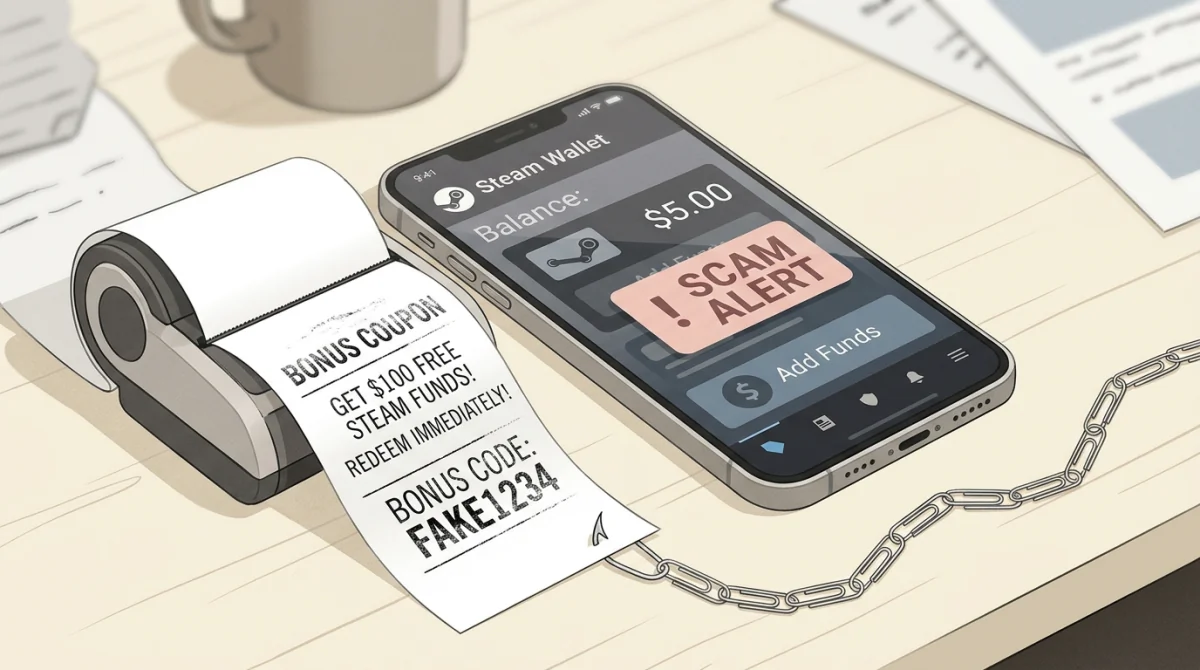
Before discussing third-party payments, we must address the most common beginner scam: The Fake Steam Wallet Transfer.
How it works: A scammer offers to buy your knife for Steam Wallet funds. They send you a standard Steam trade offer for your knife. In the text box attached to the trade offer (intended for simple messages like "Thanks for the trade"), they copy and paste official-looking text:
Steam Guard: Your account will be credited with $150.00 USD. The funds will be available in your Steam Wallet once this trade is accepted. Verification Code: X8B92-L.
The Truth: It is completely impossible to transfer Steam Wallet funds through a trade window. Steam does not support this feature in any capacity. Any text promising Wallet funds in a trade offer is manually typed by the scammer. If you accept the trade, you give them your item for nothing.
The Fake Screenshot / Email Scam (PayPal, Crypto, Bank)
This is the most common scam when attempting peer-to-peer cash trades via PayPal, Venmo, CashApp, or cryptocurrency.
The Setup: You agree to sell your skin to a buyer for $500 via PayPal. Because there is no escrow system, one person has to go first. The scammer will often insist you go first, but to "prove" they are legitimate, they will offer to send the money immediately.
The Fake Proof: The scammer will then provide "proof" that they have sent the money, using one of two methods:
- The Doctored Screenshot: They send you an image of their PayPal or bank screen showing a completed transfer of $500 to your email address. These screenshots are easily forged using Photoshop or simply by using the "Inspect Element" tool in a web browser to change the numbers on a real PayPal page before taking the screenshot.
- The Spoofed Email: You receive an email that looks exactly like an official notification from PayPal or your bank. It says, "You have received $500 from [Scammer Name]." However, the email often includes a caveat: "Funds are pending. You must ship the virtual item to release the funds."
The Trap: Believing the money is secure or "pending," you send the skin via Steam trade. Once the scammer receives the item, they block you. The money never arrives because it was never sent. The screenshot was fake, and the email was spoofed (sent from a fake address designed to look like PayPal).
The "Invoice" Scam (PayPal Specific)
A variation of the fake email scam relies on PayPal's invoicing system.
The Setup: Instead of sending you money, the scammer sends you a PayPal Invoice.
The Trap: An invoice is a request for money, not a payment. However, scammers will title the invoice something like "Payment Received for CS2 Items" and add notes saying "Funds will clear upon item delivery." If you aren't paying close attention, you might mistake the notification of an invoice for a notification of a payment received. If you send the item, you get nothing (and if you accidentally pay the invoice, you lose both your item and your money!).
How to Safely Sell Skins for Cash
If you must sell skins for real money, follow these strict rules to avoid payment scams:
- Never Trust Screenshots: A screenshot of a transaction means absolutely nothing. It is trivial to fake.
- Never Trust Emails: Email sender addresses can be easily spoofed. Do not rely on email notifications as proof of payment.
- Log In to Verify: The ONLY proof of payment is logging directly into your PayPal account, your bank account app, or your crypto wallet and seeing the cleared, available funds in your balance.
- "Pending" Means "Not Yours Yet": If funds are marked as "Pending" or "On Hold," do not send the item. Scammers can often cancel pending transactions. Wait until the money is fully cleared.
- Use Reputable Marketplaces: For 99% of players, peer-to-peer cash trading is not worth the risk. Use established, trusted third-party marketplaces (like Skinport, CSFloat, GamerPay). They act as a secure escrow: the buyer pays the site, you trade the item to the site's bot, the buyer receives the item, and the site pays you. While they charge a fee (usually 2-10%), it is the only way to guarantee you will not be scammed.
Never let greed override your common sense. If a cash buyer is rushing you and demanding you trust a screenshot over your actual bank balance, walk away.