For years, the standard advice for Steam security was simple: "Never give out your password, and never give out your Mobile Authenticator code." While still true, scammers have found a terrifyingly simple way to bypass both of these steps simultaneously using a feature designed for convenience: the Steam Mobile App's QR code scanner.
This method, often referred to as "Streamjacking" or "QR Phishing," has become incredibly prevalent in the CS2 community. Here is exactly how it works and why you must never scan a random QR code with your Steam app.
The Flaw in Convenience
When you log into Steam on a new PC, you have the option to scan a QR code displayed on the monitor using your Steam Mobile App. This is a brilliant convenience feature. It securely transfers your authenticated session from your phone to the PC without you needing to type a password or a 2FA code.
However, this feature assumes that the screen displaying the QR code is your screen. Scammers exploit this assumption.
If you scan a QR code generated by a scammer's computer, you are instantly granting their computer full, authenticated access to your Steam account.
How the Scam Unfolds
The scam relies heavily on urgency, greed, and the illusion of legitimacy, typically playing out on streaming platforms like Twitch or YouTube.
1. The Fake Stream (The Bait)
Scammers will set up a live stream on Twitch or YouTube. To make it look legitimate, they will:
- Use the name and branding of a famous pro player (e.g., s1mple, m0NESY) or a major tournament organizer (e.g., ESL, PGL).
- Rebroadcast an old, highly viewed VOD (Video on Demand) of that player or tournament to make the stream look active and popular.
- Use view-bots to artificially inflate the viewer count to thousands, pushing the fake stream to the top of the CS2 directory.
2. The Lure (The Hook)
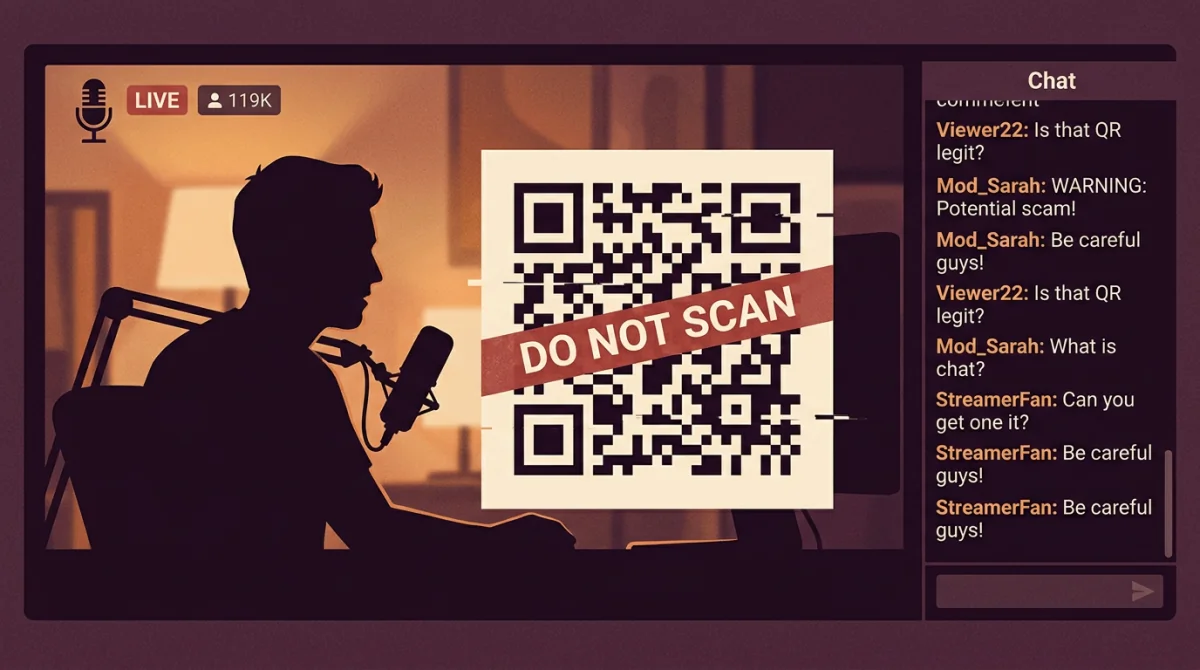
Overlayed on top of this stolen gameplay footage will be a massive graphic promising a giveaway. It will say something like:
- "!DROP - SCAN TO CLAIM FREE KNIFE"
- "ESL MAJOR VIEWERSHIP REWARDS - SCAN QR TO LINK ACCOUNT"
- "S1MPLE FAREWELL GIVEAWAY - SCAN TO ENTER"
Next to the text will be a large, clear QR code.
3. The Execution (The Trap)
The scam relies on you acting quickly before thinking.
- Believing you are watching an official stream and wanting free skins, you open your Steam Mobile App.
- You open the QR scanner within the app and point it at your monitor.
- The Steam app will ask you to confirm a login. Because you think you are "linking" your account to the stream for a drop, you click "Confirm."
The Reality: The QR code on the stream was dynamically generated by the scammer's automated login script on their server. When you clicked confirm, you didn't link your account to a giveaway; you authorized the scammer's server to log into your Steam account.
4. The Aftermath
Because they used the QR login method, the scammer bypasses your password and your standard 2FA code. They now have an active, authenticated session. Within seconds, automated scripts will strip your account of any tradable items, routing them through a network of mule accounts.
How to Protect Yourself
Defending against this scam requires a strict change in habit regarding the Steam Mobile App.
- The Golden Rule of QR Codes: The QR scanner in your Steam Mobile App has ONLY ONE PURPOSE: logging into the official Steam Client software or the official
steamcommunity.comwebsite on a physical screen that you control. - Never scan a QR code from a video, a stream, a Discord message, or an external website.
- Official drops do not work this way. Legitimate tournament drops or platform integrations (like linking Steam to Twitch) are handled through secure API OAuth linking (clicking a button that redirects you to a secure Steam login page), NEVER via scanning a QR code on a video feed.
- Verify Streams: If a stream claims to be a famous player giving away items, check the channel name carefully. Fake channels often have slight misspellings or lack the official "Verified" checkmarks found on legitimate platforms.
The convenience of QR code logins is great for your own devices, but it is a loaded weapon if pointed at the wrong screen. Treat the Steam QR scanner with the same extreme caution you would treat handing over your physical phone to a stranger.