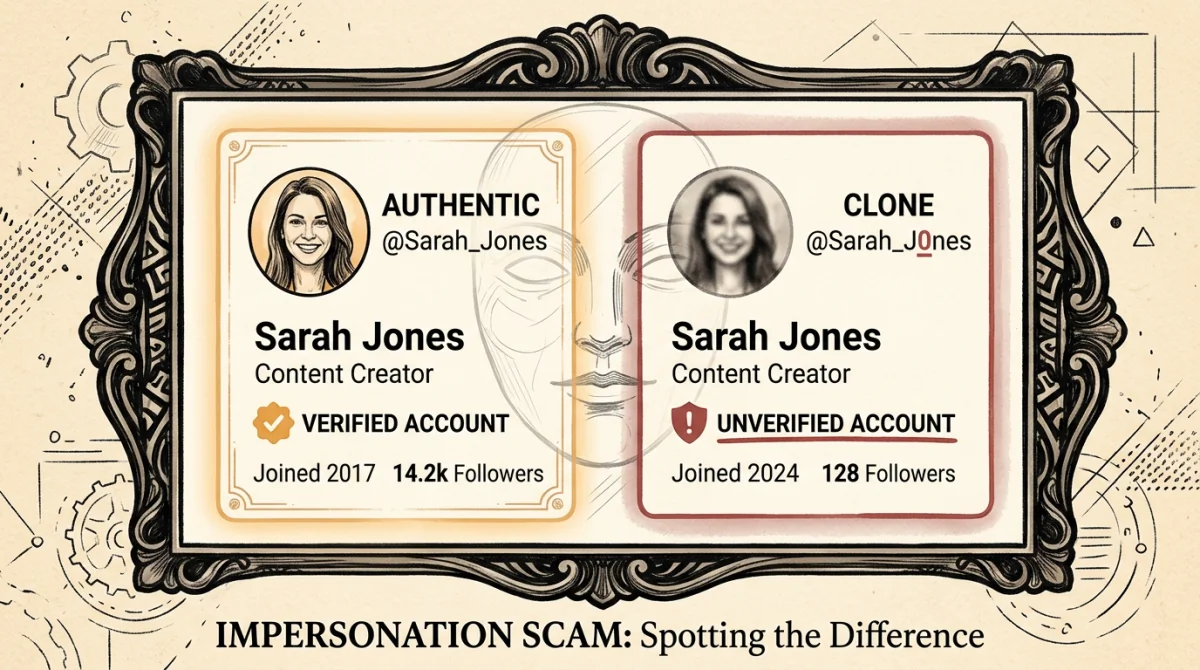
Trust is the biggest vulnerability in any security system. Scammers know that you are highly suspicious of random strangers adding you, but you implicitly trust the people already on your Steam friends list. The "Impersonator" or "Clone Account" scam exploits this trust by creating a digital doppelganger of someone you know.
This scam is highly effective because it bypasses your initial skepticism. You believe you are doing a favor or making a safe trade with a buddy, when in reality, you are handing your inventory to a stranger.
How the Impersonator Scam Works
The scammer's goal is to make a fake account look identical to a trusted friend or a highly reputable community figure (like a famous trader or middleman).
Step 1: Target Selection
Scammers often look for players with valuable inventories who have their friends list set to "Public." They will identify a close friend of the target—someone the target interacts with frequently or who has a high Steam level.
Step 2: The Cloning Process
The scammer creates a brand new Steam account (or uses an existing hijacked account) and meticulously copies the friend's profile:
- They download and use the exact same Avatar (Profile Picture).
- They copy the exact Profile Name. They might use lookalike characters (e.g., using a capital 'I' instead of a lowercase 'l') if the exact name is taken, but Steam often allows duplicate display names anyway.
- They copy the Custom Info Box and profile background.
Step 3: The Approach
The scammer then sends you a friend request from this clone account. If your friends list is large, you might simply accept it, assuming your friend made an alternate account or accidentally unfriended you.
Alternatively, if they are impersonating a famous trader, they will add you and claim they are interested in buying your items.
Step 4: The Ask
Once on your friends list, the clone account will message you. The request is usually urgent and requires you to send them items:
- The "Borrow" Excuse: "Hey man, I'm playing a faceit tournament in 5 mins and my knife is trade locked on my alt. Can I borrow your Butterfly for the match? I'll send it back right after."
- The "Storage" Excuse: "My account got a community ban warning, I need to move my skins to a safe account. Can you hold my stuff? Actually, can you send yours to my alt vault just in case?"
- The "Middleman" Scam: If you are trading with someone else, the clone account (impersonating a trusted middleman) will instruct you to send the items to them for "verification."
Step 5: The Theft
Believing it's your friend, you send the items in a trade offer. The clone accepts, immediately blocks you, changes its name and profile picture, and the items are gone.
How to Spot a Clone Account
Because Steam allows users to change their display names and avatars freely, visual identification is not enough. You must use verifiable data points.
1. Check the Steam Level and Badges
This is the easiest giveaway. Your real friend might be Steam Level 50 with years of service badges. A newly created clone account will usually be Level 0 or Level 1 with no badges. Always check the Steam level of the person requesting items.
2. Check the "Aliases" (Past Names)
Click the downward arrow next to their profile name to see their "This user has also played as" history. Real accounts usually have a history of normal names. Clone accounts often have a history of impersonating various different people, or names like "Unassigned" if it's a freshly bought hijacked account.
3. Check Mutual Friends
If the person messaging you is supposedly a close friend, you should share many mutual friends. If the clone account has zero mutual friends with you, it is a massive red flag.
4. Use SteamID64 (The Ultimate Verification)
Every Steam account has a unique, permanent 17-digit ID (SteamID64) that cannot be changed, regardless of what display name or custom URL they use.
- If you frequently trade with a middleman or a specific friend, bookmark their actual Steam profile page or save their SteamID64.
- If "they" message you from a new account, check the SteamID64 using a site like SteamRep. If it doesn't match the ID you know, it's a fake.
5. Verify Through Other Channels
If your "friend" is asking for a $500 item over Steam chat, do not simply comply.
- Message them on Discord.
- Send them a text message.
- Call them on the phone. Say, "Hey, did you just ask to borrow my knife on Steam?" If they say no, you've just avoided being scammed.
Account Security Hygiene
To make yourself less of a target for this specific scam:
- Set your Friends List to "Friends Only" or "Private." If scammers cannot see who your friends are, they cannot effectively clone them to trick you. Go to Edit Profile -> Privacy Settings to change this.
- Add Nicknames. Steam allows you to add permanent, private nicknames to people on your friends list (e.g., "Real John - Do Not Trade"). This nickname will display next to their name in chat. If a clone adds you, they won't have the nickname you assigned.
Never let familiarity override your security protocols. Treat every request for your valuable items as suspicious, even if it appears to come from your best friend.