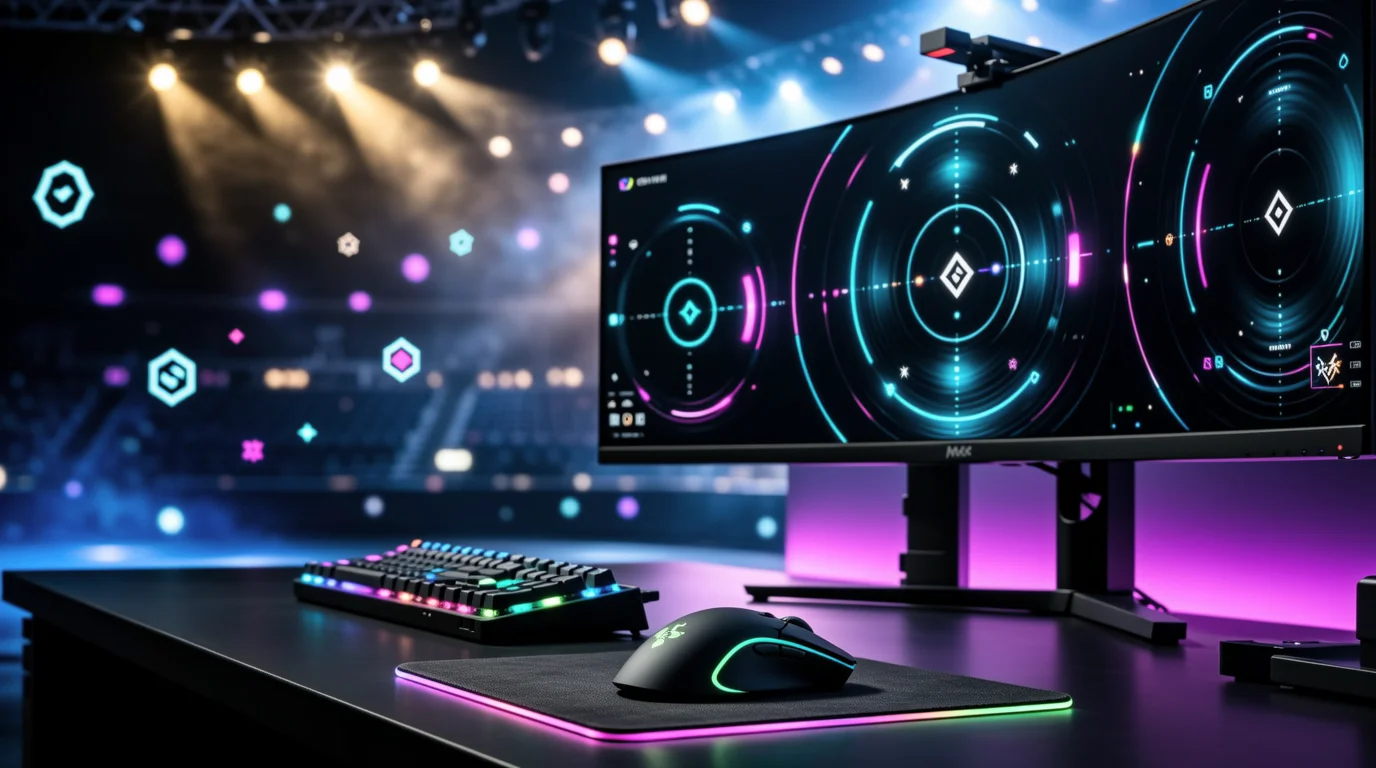
Professional Counter-Strike settings are the closest thing to a free performance upgrade. In August 2026, two databases dominate crosshair and config discovery — ProSettings.net and CS2Settings.com — while Strafe and Rankacy cover the esports context around those numbers. Copying a pro's crosshair without understanding DPI, eDPI, and resolution scaling is why most players feel worse after importing a code.
This guide compares all four platforms, explains the settings that actually matter, and shows you how to import crosshair share codes correctly.
Quick Comparison Table
| Platform | Database size | Crosshair source | Gear tracking | Skin inventory | Update frequency | Price |
|---|---|---|---|---|---|---|
| ProSettings.net | 500+ CS2 players | Manual + stream verification | Full (mouse, monitor, keyboard, headset) | Yes (player pages) | Weekly editorial updates | Free |
| CS2Settings.com | 2,600+ players / 560+ teams | Automated demo extraction | Full PC specs + peripherals | Yes (from demos) | Hourly (demo pipeline) | Free |
| Strafe | Esports stats focus | Links to external profiles | Tournament gear mentions | No | Real-time (matches) | Free + app |
| Rankacy | Personal stats focus | No pro database | No | No | Per uploaded demo | Freemium ($9.99–$199) |
Why Pro Settings Matter — And Which Ones Actually Transfer
Not every setting on a pro's profile will fix your aim. Focus on the variables with proven competitive impact:
| Setting | Typical pro range | Why it matters |
|---|---|---|
| DPI | 400 (≈80% of top 50) | Lower DPI = finer physical control at equal eDPI |
| In-game sensitivity | 1.5 – 2.5 (at 400 DPI) | Combined with DPI to produce eDPI |
| eDPI | 600 – 1,000 (median ~800) | The single number that defines turn speed |
| Resolution | 1280×960 (4:3 stretched) most common | Wider player models, higher FPS |
| Refresh rate | 240Hz minimum; 360Hz common | Measurable input latency reduction |
| Crosshair style | Classic Static, small gap | Visibility without obscuring heads |
Settings that do not transfer meaningfully: exact graphics presets (personal preference), viewmodel (comfort, not aim), and copying a 1600 DPI player's sens without adjusting for your own DPI.
The eDPI formula
eDPI = Mouse DPI × In-game sensitivity
Examples from August 2026 pro databases:
| Player | DPI | Sens | eDPI | cm/360 (approx.) |
|---|---|---|---|---|
| ZywOo | 400 | 2.00 | 800 | 52 |
| NiKo | 400 | 1.5 | 600 | 69 |
| s1mple | 400 | 3.09 | 1,236 | 34 |
| donk | 800 | 1.25 | 1,000 | 42 |
| m0NESY | 400 | 2.1 | 840 | 50 |
Most riflers cluster at 700–900 eDPI. AWPers like s1mple run higher eDPI for flick speed. Start at 400 DPI × 2.0 sens = 800 eDPI and adjust after one week of deathmatch.
Why Pros Use 4:3 Stretched (Not 16:9)
Roughly 70%+ of professional CS2 players use a 4:3 aspect ratio — most commonly 1280×960 black bars or stretched. Reasons:
- Wider player models — Enemies appear horizontally larger, making micro-adjustments easier at long range.
- Higher frame rates — Fewer pixels to render; critical for maintaining 240Hz+ on tournament PCs.
- Legacy muscle memory — Most pros learned on 4:3 in CS 1.6 / CS:GO and never switched.
- Focus zone — Less peripheral visual noise; crosshair stays closer to screen center.
Common pro resolutions:
| Resolution | Aspect | Scaling |
|---|---|---|
| 1280×960 | 4:3 | Stretched (most common) |
| 1024×768 | 4:3 | Stretched or black bars |
| 1440×1080 | 4:3 | Stretched (higher-end GPUs) |
| 1920×1080 | 16:9 | m0NESY, some younger pros |
Switching aspect ratio changes how sensitivity feels even at the same eDPI. If you move from 16:9 to 4:3 stretched, expect 1–2 weeks of readjustment.
ProSettings.net — The Editorial Gold Standard
ProSettings.net is the longest-running pro gear database. Its CS2 Pro Settings and Gear List covers every tier-1 team with individual player pages showing crosshair, video settings, viewmodel, config files, and full peripheral lists.
Strengths
- Deep gear coverage — Mouse, mousepad, monitor, keyboard, headset, and PC specs with purchase links.
- Crosshair share codes — One-click copy for CS2's import system.
- Skin inventory sections — Player pages list in-game skins (knives, gloves, rifles) used in tournaments and streams.
- Editorial verification — Team researches settings from streams, HLTV demos, and player social posts.
- Supporting content — Guides on best CS2 crosshair codes, map pools, and game settings.
Weaknesses
- Update lag — Manual verification means crosshairs can be days or weeks behind a player's latest change.
- Self-reported configs — Some settings come from player-submitted configs, not live match data.
- No automated demo pipeline — Relies on editorial team bandwidth.
Best for
Players who want gear purchase decisions alongside settings — "What mouse does ZywOo use?" is a ProSettings question.
CS2Settings.com — Demo-Extracted, Hourly Updates
CS2Settings.com takes a fundamentally different approach: automated crosshair extraction from official match demo files, processed every hour.
How the pipeline works
- Professional matches generate
.demfiles (same files used for HLTV replays). - CS2Settings downloads new demos automatically.
- The system reads each player's exact in-game crosshair configuration from demo metadata.
- Player profiles update within hours of match completion.
- Previous crosshairs are archived in history.
This means the crosshair on donk's profile is the one he actually used in his last official match — not an outdated config from three weeks ago.
Database scale (August 2026)
- 2,627 professional players tracked
- 561 teams covered
- Crosshair + in-game weapon skins extracted from demos
- One-click share code copy
Strengths
- Highest accuracy for crosshairs — Demo-sourced, not self-reported.
- Skin tracking from matches — See which skins pros use in official games (useful for loadout inspiration).
- Hourly refresh — Fastest update cycle of any major database.
- Crosshair history — Track when a pro changed crosshair and revert to previous versions.
Weaknesses
- Less editorial context — No long-form guides or gear reviews.
- Demo limitations — Only captures settings present in official match demos; streaming-only config changes may lag until the next match.
- Gear data less comprehensive than ProSettings for monitor/keyboard details.
Best for
Players who want the most current competitive crosshair and care about which skins pros run in official matches.
ProSettings vs CS2Settings — Head-to-Head
| Factor | ProSettings.net | CS2Settings.com |
|---|---|---|
| Crosshair accuracy | High (verified, but manual) | Highest (demo-extracted, hourly) |
| Update speed | Days to weeks | Hours |
| Gear/peripheral depth | Best in class | Good (mouse-focused) |
| Skin inventory | Yes (editorial) | Yes (demo-extracted) |
| Guides & articles | Extensive | Minimal |
| Player count | ~500 CS2 profiles | 2,600+ |
| Config file downloads | Yes (.cfg) | Share codes primary |
Recommendation: Use CS2Settings for crosshair share codes you will use in ranked. Use ProSettings when buying a new mouse, monitor, or building a full setup. Cross-reference both when they disagree — the demo-sourced version is almost always the match-used setting.
How to Import CS2 Crosshair Share Codes
CS2 supports share codes — short strings that encode full crosshair settings.
Method 1: In-game settings menu
- Open CS2 → Settings → Crosshair tab.
- Click Share / Import.
- Paste the share code (e.g.,
CSGO-xxxxxx-xxxxx-xxxxx-xxxxx-xxxxx). - Click Import.
Method 2: Console command
- Open console (
~). - Paste:
cl_crosshaircode CSGO-xxxxxx-xxxxx-xxxxx-xxxxx-xxxxx - Press Enter.
Method 3: Config file (ProSettings)
- Download the player's
.cfgfrom ProSettings. - Place in
Steam/steamapps/common/Counter-Strike Global Offensive/game/csgo/cfg/. - Launch CS2, open console, type
exec filename.
After importing: Play 30 minutes of deathmatch before judging. A crosshair that works for ZywOo's 800 eDPI will feel wrong at 1,400 eDPI. Adjust size/gap/thickness, not just copy blindly.
Strafe Esports — Match Context and Player Tracking
Strafe is not a settings database — it is a competitive esports platform covering CS2 match schedules, live scores, tournament brackets, and player statistics.
Relevant CS2 features
- Real-time match tracking for Majors, ESL Pro League, BLAST, and regional events
- Player performance stats across tournaments
- Mobile app for match notifications
- Team roster pages with links to player profiles
How it complements settings databases
Use Strafe to identify which pros are performing well in current form, then look up their settings on CS2Settings or ProSettings. Copying a major-winner's crosshair during a hot streak is more useful than copying a benched player's year-old config.
Strafe does not host crosshair codes or gear lists directly — treat it as the discovery layer above ProSettings and CS2Settings.
Rankacy — Personal Performance Analytics (Not Pro Settings)
Rankacy is a personal match analytics platform — closer to Scope.gg or Leetify than ProSettings. It tracks your individual CS2 performance, generates 4K highlights, and provides ranking trends.
Pricing (August 2026)
| Plan | Price | Features |
|---|---|---|
| Free | $0 | Basic stats, limited highlights |
| Pro | $9.99/mo (or $89.90/yr) | Enhanced analytics |
| Plus | $39.90 | Advanced features |
| Elite | $24.99/mo (or $199/yr) | Full suite |
Rankacy includes a mobile app (iOS) that syncs with your rankacy.com account for on-the-go stat review.
Why it appears in this comparison
Rankacy is not a pro settings database. It belongs in a pro-settings workflow as the personal feedback loop:
- Copy a pro crosshair from CS2Settings.
- Play 20 competitive matches.
- Upload demos to Rankacy.
- Check if headshot %, accuracy, and clutch stats improved or declined.
- Adjust sensitivity ±0.1 eDPI based on data, not vibes.
Do not use Rankacy to look up pro player configs — use ProSettings or CS2Settings for that.
Pro Player Inventory Tracking — Skins in Official Matches
Both ProSettings and CS2Settings track in-game skins, but the source differs:
| Source | Data origin | Best for |
|---|---|---|
| ProSettings player pages | Streams, social posts, editorial | Seeing a pro's "main" loadout aesthetic |
| CS2Settings demo extraction | Official match demos | Seeing exactly what skin was equipped when the player hit a clip |
Notable 2026 examples: donk's Souvenir AK crafts, m0NESY's AWP skins, and Vitality's team-coordinated loadouts appear in both databases with different freshness profiles.
For current market prices on pro-used skins, cross-check on take.skin — demo-verified skins often spike in demand after major tournament moments.
Recommended Settings Starting Points (August 2026)
Based on aggregated pro data from both databases:
| Setting | Recommended starting value |
|---|---|
| DPI | 400 |
| Sensitivity | 2.0 |
| eDPI | 800 |
| Resolution | 1280×960 (try stretched) |
| Refresh rate | Highest your monitor supports |
| Crosshair | Classic Static, size 1–2, gap -2 to -4, cyan or green |
| Raw input | On |
| Mouse acceleration | Off |
Import crosshair codes from donk (aggressive rifler), ZywOo (balanced AWPer/rifler), or ropz (methodical lurker) depending on your role — then adjust after a week.
Safety Notes
- Settings databases are read-only resources — they never need your Steam password.
.cfgfiles from ProSettings are community-trusted but always scan with common sense; only download from prosettings.net directly.- Do not use random "pro config" executables from Discord or Reddit — stick to official share codes and
.cfgfrom the two databases above.
take.skin Verdict
For crosshair codes you will use today, CS2Settings.com wins on accuracy and speed — demo extraction hourly beats manual editorial cycles. For gear buying decisions and setup guides, ProSettings.net remains the authority. Strafe tells you who is hot right now; Rankacy tells you whether copying their settings actually helped your stats.
The optimal workflow: import crosshair from CS2Settings → match peripherals from ProSettings → track personal improvement on Rankacy → price-check any inspired skin purchases on take.skin.