Welcome to the world of Counter-Strike 2 skin trading! Building your dream inventory is one of the most rewarding aspects of the game. However, the skin market is a real-money economy, and as a beginner, you are the primary target for scammers.
Before you make your first big trade or buy that knife you've been eyeing, you must understand the fundamentals of account security. Consider this your mandatory orientation to CS2 trading safety.
The Absolute Basics: Account Security
Before you even think about trading, your Steam account must be locked down.
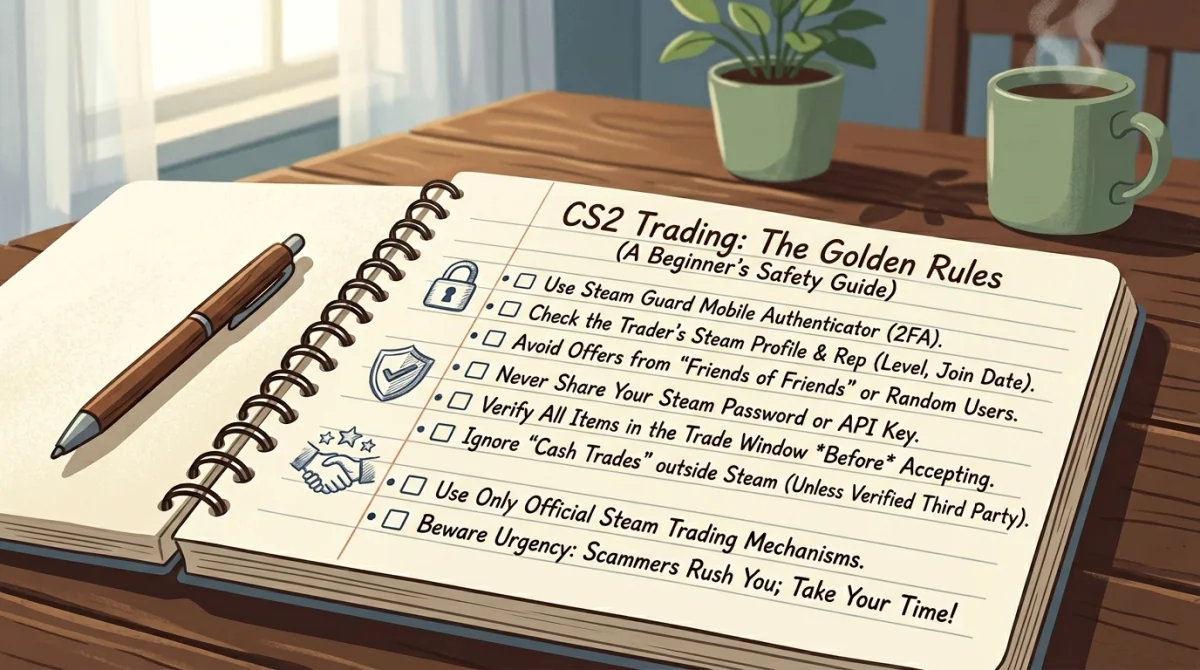
- Enable Steam Guard Mobile Authenticator: This is non-negotiable. Without it, your items can be traded away instantly if someone guesses your password. The Mobile Authenticator requires you to physically approve every trade on your smartphone.
- Use a Strong, Unique Password: Do not use the same password for Steam that you use for other websites.
- Secure Your Email: The email address associated with your Steam account must also have Two-Factor Authentication (2FA) enabled. If a hacker gets your email, they can often bypass Steam security.
The Golden Rules of CS2 Trading
Memorize these rules. They will save you from 99% of scams.
Rule #1: If it's too good to be true, it's a scam.
No one is going to give you a $500 knife for your $50 skin because they "like you" or are "quitting the game." No one is randomly selecting you to win a huge giveaway. Greed is a scammer's best friend. If an offer feels incredibly lucky, immediately be suspicious.
Rule #2: Never log into links sent via chat.
Whether it's Steam chat, Discord, or a comment on your profile, never click a link and enter your Steam credentials. Scammers create fake websites that look exactly like popular trading hubs or Faceit tournament pages.
- The Fix: If someone tells you to check an item on a specific site, type the website address into your browser manually or use your own bookmarks.
Rule #3: The Mobile Confirmation is your final contract.
The Steam app on your phone is the last step before items leave your account. Scammers will try to manipulate the desktop trade window, but they cannot fake the mobile confirmation screen on your physical device.
- The Fix: When your phone buzzes to confirm a trade, stop and read it. Verify the items you are losing, the items you are receiving, and the exact name/level/join date of the person you are trading with. If anything looks wrong, cancel the trade immediately.
Rule #4: Valve employees will never ask for your items.
You will never receive a message from a "Steam Admin" or "Valve Employee" demanding that you trade your items to a "verification vault" to check if they are stolen or duped. This is always a scam designed to steal your inventory under the threat of a fake account ban.
- The Fix: Ignore and block anyone claiming to be official support in a chat window. Official support only happens through the Steam Help ticket system.
Rule #5: Cash trading is inherently dangerous.
Selling items directly to another person for PayPal, bank transfer, or crypto is extremely risky. Steam does not support cash trades, so if you get scammed, Steam Support will not help you or return your items.
- The Fix: As a beginner, only use reputable, established third-party marketplaces (like Skinport, CSFloat, etc.) if you want to buy or sell skins for real money. These sites act as secure middlemen, ensuring both parties get what they paid for. Do not attempt peer-to-peer cash trades until you are highly experienced.
Rule #6: Beware of the "Bait and Switch".
When trading directly with someone, they might put a highly valuable item in the trade window (like a Factory New skin), distract you with chat, and then quickly swap it out for a worthless Battle-Scarred version of the same skin before hitting 'Accept'.
- The Fix: Take your time. Never let the other person rush you. Hover over the item in the final confirmation window to verify its condition (wear) and whether it is StatTrak.
What to do if you make a mistake
If you accidentally click a bad link or realize you've been compromised:
- Do not panic, but act quickly.
- Change your Steam password immediately.
- Deauthorize all devices: Go to Steam Settings -> Security -> Manage Steam Guard -> Deauthorize all other devices.
- Revoke API Keys: Go to
steamcommunity.com/dev/apikey. If there is any text in the domain box and a key listed, click "Revoke My Steam Web API Key". (This stops the infamous API scam).
Trading CS2 skins should be fun. By following these golden rules and maintaining a healthy level of skepticism, you can trade safely and build your collection without fear. Welcome to the market!