Counter-Strike 2 is one of the most hardware-sensitive esports titles on PC. Input latency, frame pacing, and 1% low frame rates directly affect peek timing, spray control, and flick accuracy — a 60 Hz office panel and a 600 Hz ZOWIE are not playing the same game. In August 2026, five platforms provide the most reliable CS2 hardware and graphics guidance: ProSettings.net, setups.gg, BO5.gg, Dexerto, and EarlyGame.
This guide compares their CS2 coverage depth, breaks down the monitor and GPU decisions backed by pro-player data from 932 tracked professionals, and documents the graphics settings consensus for competitive play.
Why CS2 Hardware Guides Matter
| Factor | Competitive impact |
|---|---|
| Refresh rate (240 Hz+) | Lower end-to-end input latency; smoother tracking during flicks |
| 1% low frame rates | Stutters during smokes and utility cause missed shots |
| Panel brand (ZOWIE dominance) | 88.4% of tracked pros use ZOWIE — motion clarity and DyAc tuning matter |
| NVIDIA Reflex | Reduces render queue latency on supported GPUs |
| 4:3 stretched resolution | 60.4% of pros use 1280×960 — wider player models, fewer pixels |
| Mouse polling rate | 66.4% of pros still on 1000 Hz; 15.2% on 4000 Hz (Aug 2026 data) |
Getting hardware wrong does not just look bad — it costs rounds.
Guide Comparison at a Glance
| Platform | URL | CS2 depth | Monitor data | GPU/FPS benchmarks | Pro gear cross-ref | Update cadence |
|---|---|---|---|---|---|---|
| ProSettings.net | prosettings.net | Deep — 932 pro profiles | Brand/model usage tables | Settings guide (not FPS benches) | Primary source | Continuous |
| setups.gg | setup.gg | Strong — data reports | Refresh/resolution/DPI trends | Pro gear aggregation | Yes — 907-player sample | Monthly |
| BO5.gg | bo5.gg | Strong — settings guides | Partial | 1% low + GPU-tier tables | Partial | Regular |
| Dexerto | dexerto.com | Broad — multi-game | General esports | Limited | Yes — 100+ pro pages | Daily (news-driven) |
| EarlyGame | earlygame.com | Focused — resolution/aspect | Buying guides | Partial | Pro resolution surveys | Weekly |
What Pro Players Actually Use (August 2026 Data)
These numbers come from ProSettings.net's CS2 gear list (932 tracked professionals) and setups.gg's June 2026 monitor report (907 checked rows).
Monitor brands
| Rank | Brand | Pros using | Share |
|---|---|---|---|
| 1 | ZOWIE (BenQ) | 824 | 88.4% |
| 2 | Alienware | 25 | 2.7% |
| 3 | ASUS ROG | 22 | 2.4% |
| 4 | ASUS | 7 | 0.8% |
| 5 | AOC | 6 | 0.6% |
Top individual models: ZOWIE XL2566K (360 Hz), XL2546K (240 Hz), XL2586X+ (600 Hz). ZywOo, ropz, and donk all run the XL2586X+ as of August 2026.
Resolution and aspect ratio
| Resolution | Pros | Share |
|---|---|---|
| 1280×960 (4:3 stretched) | 548 | 60.4% |
| 1920×1080 (16:9 native) | 85 | 9.4% |
| 1024×768 (4:3) | 85 | 9.4% |
| 1440×1080 (4:3) | 38 | 4.2% |
| 1280×1024 (5:4) | 46 | 5.1% |
The "70%+ pro adoption" figure often cited is outdated — verified August 2026 data shows 60.4% on 1280×960, with another ~19% on other 4:3 resolutions. Combined 4:3 usage exceeds 75%.
DPI and polling rate
| DPI | Pros | Share |
|---|---|---|
| 400 | 426 | 47.0% |
| 800 | 394 | 43.4% |
| 1600 | 46 | 5.1% |
| Polling rate | Pros | Share |
|---|---|---|
| 1000 Hz | 602 | 66.4% |
| 4000 Hz | 138 | 15.2% |
| 2000 Hz | 121 | 13.3% |
| 8000 Hz | 18 | 2.0% |
Monitor Technology in 2026
Refresh rate tiers
| Tier | Model examples | Native refresh | Best for |
|---|---|---|---|
| 240 Hz | ZOWIE XL2546K, ASUS VG259QM | 240 Hz | Budget competitive baseline |
| 360 Hz | ZOWIE XL2566K, ASUS ROG Swift PG27AQN | 360 Hz | Mainstream pro standard |
| 540–600 Hz | ZOWIE XL2586X+ | 600 Hz | Maximum latency reduction; requires RTX 4080+ for headroom |
The jump from 240 Hz to 360 Hz is measurable (~2–3 ms less input lag). Returns diminish above 360 Hz unless your GPU maintains 500+ FPS consistently — which is why most pros still run 1280×960 to reduce pixel load.
OLED vs Fast IPS vs TN for CS2
| Panel type | Response time | Motion clarity | Burn-in risk | CS2 verdict |
|---|---|---|---|---|
| TN (ZOWIE) | ~1 ms GtG | Excellent with DyAc+ | None | Pro standard — 88.4% adoption |
| Fast IPS (360 Hz) | 1 ms GtG | Very good | None | Strong alternative; growing in non-ZOWIE setups |
| QD-OLED (240 Hz) | 0.03 ms GtG | Excellent | Moderate (static HUD) | Best image quality; minimap/HUD burn-in concern |
ZOWIE's TN panels with DyAc/DyAc+ blur reduction remain the competitive default. ProSettings.net's monitor guide recommends a minimum of 240 Hz for serious play.
ZOWIE monitor settings for CS2
ProSettings.net publishes ZOWIE's official CS2 profiles (updated July 2026). Starting point for XL2566K:
| Setting | Value |
|---|---|
| Mode | FPS1 |
| Black eQualizer | 11 |
| Color Vibrance | 8 |
| Gamma | 3 |
| Brightness | 87 |
| Contrast | 50 |
| Sharpness | 9 |
ZOWIE also offers Setting to Share downloads for direct config import on -K series monitors.
NVIDIA Reflex and Low-Latency Settings
NVIDIA Reflex Low Latency reduces the render queue between mouse input and displayed frame. In CS2:
| Setting | Value | Effect |
|---|---|---|
| NVIDIA Reflex | Enabled + Boost | Reduces latency on GPU-bound frames |
| V-Sync | Off | V-Sync adds ~1 frame of input lag |
| Display Mode | Fullscreen | Bypasses Windows compositor latency |
| Multisampling AA | 2× MSAA or CMAA2 | Minimal FPS cost; cleaner edges |
| Global Shadow Quality | Low | Largest single FPS lever (~80–120 FPS swing on mid GPUs) |
| Dynamic Shadows | All | Required for competitive shadow spotting |
| Ambient Occlusion | Disabled | No competitive benefit; costs frames |
ProSettings.net's CS2 options guide (932 pro consensus) and BO5.gg's settings guide both recommend enabling Reflex on supported hardware and keeping V-Sync off in all competitive scenarios.
4:3 Stretched Optimization
| Resolution | Aspect | Scaling | Pixel reduction vs 1080p |
|---|---|---|---|
| 1280×960 | 4:3 | Stretched | ~44% fewer pixels |
| 1024×768 | 4:3 | Stretched or black bars | ~55% fewer pixels |
| 1440×1080 | 4:3 | Stretched | ~33% fewer pixels |
Stretched scaling makes player models appear horizontally wider — a competitive advantage for micro-adjustments at range. EarlyGame's resolution guide recommends 1280×960 as the balanced 4:3 option; 1024×768 for low-end PCs prioritizing frame rate.
Benchmarked frame rates (competitive settings, August 2026 estimates)
Based on BO5.gg and VPEsports benchmarks with Global Shadow Quality Low, AO disabled:
| GPU | 1920×1080 | 1280×960 stretched | 1024×768 stretched |
|---|---|---|---|
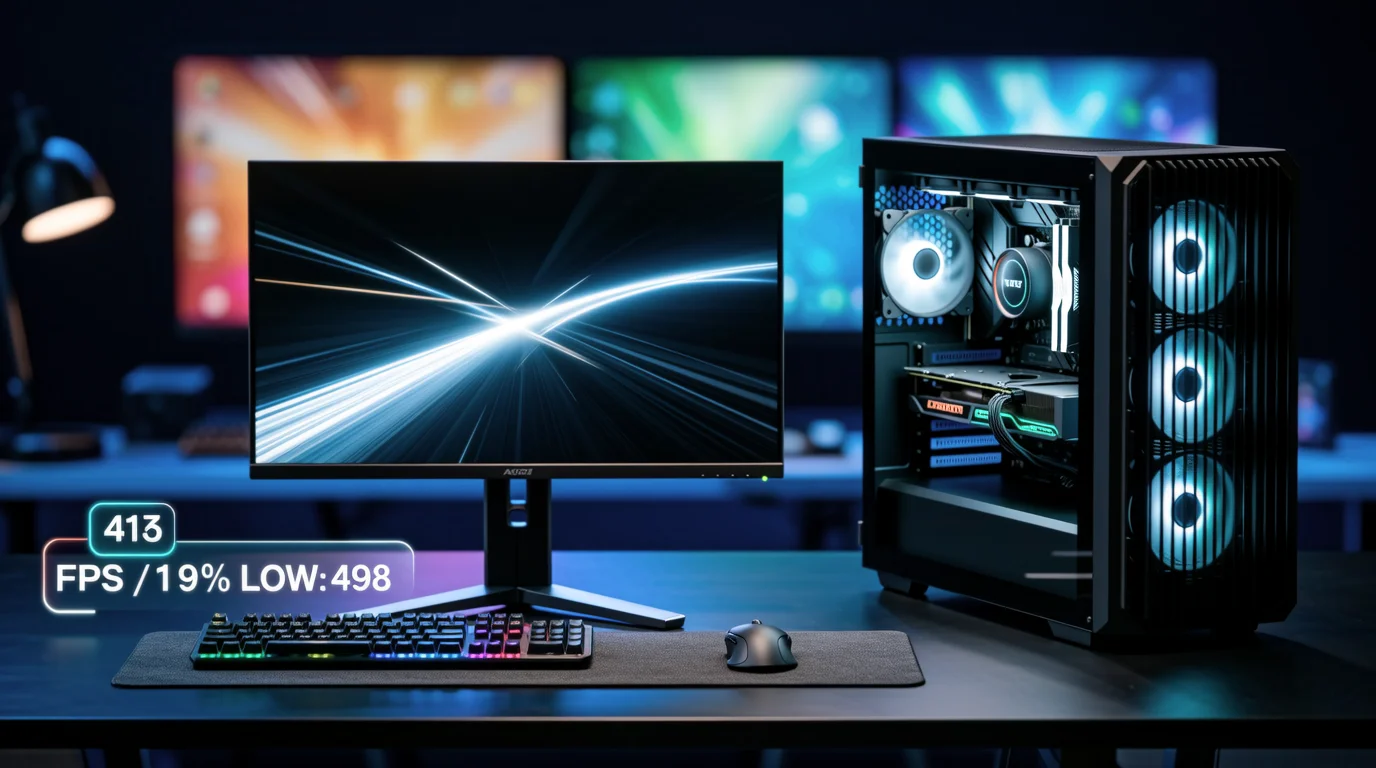
| RTX 4060 | 250–320 FPS | 350–420 FPS | 400–480 FPS |
| RTX 4070 Super | 350–420 FPS | 450–520 FPS | 500–580 FPS |
| RTX 4080 Super | 450–550 FPS | 550–650 FPS | 600–700+ FPS |
| RTX 5080 | 500–600 FPS | 600–700 FPS | 650–750+ FPS |
1% lows typically run 15–25% below average during smoke-heavy rounds on Inferno and Ancient. Test on those maps — not just open areas on Dust II.
ProSettings.net — Primary Pro Gear and Settings Database
URL: prosettings.net/lists/cs2
ProSettings tracks 932 CS2 professionals with live-updated mouse, monitor, keyboard, headset, DPI, sensitivity, resolution, and in-game settings. It is the single most cited source for "what pros use" in CS2 hardware discussions.
Key features
- 932 pro profiles — Team, role, full gear list, and video settings per player
- Monitor brand/model usage tables — Aggregated from all tracked pros
- CS2 options guide — Consensus settings from pro data with explanations
- ZOWIE monitor config — Official CS2 profiles for XL2566K, XL2546, XL2411P
- Crosshair database — Codes exportable directly to CS2
Pros and cons
| Pros | Cons |
|---|---|
| Largest verified pro gear database for CS2 | No GPU FPS benchmark tables |
| Live-updated from event PCs and streams | Gear data can lag behind roster changes |
| Settings guides derived from actual pro configs | Affiliate links on gear recommendations |
| ZOWIE official monitor configs | Does not cover budget/non-pro hardware deeply |
Best for: Knowing exactly what monitor, mouse, and settings top players use — the baseline for any competitive setup decision.
setups.gg — Pro Trend Analysis and Buyer Guides
URL: setup.gg
setups.gg publishes data-driven reports on pro CS2 hardware trends — monitor brand share, resolution distribution, DPI/polling rate shifts — rather than generic "best gaming monitor" lists.
Key features
- Pro monitor trend reports — ZOWIE dominance, refresh rate adoption, resolution breakdowns
- Buyer guides — Hardware recommendations grounded in pro usage data
- CS2 visibility settings — Competitive graphics presets for maximum enemy spotting
Pros and cons
| Pros | Cons |
|---|---|
| Data reports with sample sizes cited | Smaller editorial team than Dexerto |
| Pro trend analysis unique in the space | Less frequent updates than ProSettings |
| Visibility-focused settings guides | No interactive gear database |
Best for: Understanding macro trends in pro hardware (e.g., 4000 Hz polling adoption rising to 15.2%) before buying.
BO5.gg — FPS Benchmarks and 1% Low Data
URL: bo5.gg/blog/best-cs2-settings-for-fps
BO5.gg (formerly BO3.gg) publishes CS2-specific settings guides with GPU-tier FPS tables and 1% low analysis — critical for identifying stutter during utility-heavy rounds.
Key features
- Settings impact ranking — Resolution, MSAA, shadows, AO ranked by FPS cost
- GPU-tier recommendations — Low/mid/high-end competitive presets
- 1% low emphasis — Warns against chasing average FPS without stability data
- Reflex/Anti-Lag guidance — NVIDIA and AMD low-latency settings
Pros and cons
| Pros | Cons |
|---|---|
| CS2-specific FPS data with 1% lows | Less pro gear coverage than ProSettings |
| GPU-tier preset tables | Benchmarks not always on latest GPU models |
| Clear settings priority ranking | Multi-game platform dilutes CS2 focus slightly |
Best for: Players optimizing FPS and frame-time stability with data-driven settings priorities.
Dexerto — Fastest Pro Settings and Hardware News
URL: dexerto.com/csgo
Dexerto is one of the largest esports media properties globally. CS2 hardware content appears within pro player settings pages, gear lists, and hardware launch news.
Key features
- 100+ pro player settings pages — Crosshair, sensitivity, resolution, gear
- Fastest hardware news coverage — New monitor/GPU launch announcements
- Community discussion — User comments on gear choices and meta shifts
- Multi-game perspective — CS2 hardware compared against Valorant, Apex
Pros and cons
| Pros | Cons |
|---|---|
| Largest audience and fastest news | CS2 hardware depth less specialized than ProSettings |
| Pro player settings cross-reference | Benchmark data often absent |
| Daily content cadence | Some content affiliate-driven |
Best for: Staying current on pro gear trends and new hardware launches without deep benchmark analysis.
EarlyGame — Resolution and Aspect Ratio Guides
URL: earlygame.com/gaming/cs2-aspect-ratio-resolution-settings
EarlyGame provides accessible CS2 guides focused on resolution, aspect ratio, and beginner-friendly hardware explanations — citing BLAST.tv pro surveys alongside practical recommendations.
Key features
- 16:9 vs 4:3 breakdown — Pros/cons with pro adoption percentages
- Three-tier 4:3 recommendations — 1024×768 (low), 1280×960 (balanced), 1440×1080 (hi-res)
- Beginner-friendly format — Step-by-step settings menu navigation
Pros and cons
| Pros | Cons |
|---|---|
| Clear resolution decision framework | Limited monitor hardware reviews |
| Cites pro survey data (BLAST.tv) | No FPS benchmark tables |
| Accessible for new players | Less depth for advanced optimization |
Best for: New players deciding between 16:9 native and 4:3 stretched before investing in hardware.
Recommended CS2 Graphics Settings (Competitive Consensus)
Synthesized from ProSettings.net (932 pros), BO5.gg, and setups.gg:
| Setting | Competitive value | Notes |
|---|---|---|
| Resolution | 1280×960 stretched | 60.4% pro adoption |
| Display Mode | Fullscreen | Always |
| Refresh rate | Monitor maximum | Verify Windows is not stuck at 60 Hz |
| NVIDIA Reflex | Enabled + Boost | On supported GPUs |
| Boost Player Contrast | Enabled | Better enemy visibility |
| Multisampling AA | 2× MSAA or CMAA2 | Minimal FPS cost |
| Global Shadow Quality | Low | Biggest FPS lever |
| Dynamic Shadows | All | Do not set to Sun Only |
| Effect Detail | Low | Smoke FPS stability |
| Shader Detail | Low | Consistent frame times |
| Ambient Occlusion | Disabled | No competitive benefit |
| V-Sync | Off | Always off for competitive |
| FSR | Disabled | Only if GPU-limited and desperate |
Feature Matrix: Which Guide for Which Question
| Question | Best source |
|---|---|
| "What monitor do 88% of CS2 pros use?" | ProSettings.net gear list |
| "Should I buy XL2566K or XL2586X+?" | ProSettings.net monitor guide + setups.gg trends |
| "Which settings give the most FPS?" | BO5.gg settings impact ranking |
| "1280×960 vs 1080p — which should I pick?" | EarlyGame resolution guide |
| "What GPU do I need for 400+ FPS at 1280×960?" | BO5.gg FPS tables |
| "What gear does m0NESY use?" | ProSettings.net or Dexerto pro page |
| "Best ZOWIE monitor settings for CS2?" | ProSettings.net ZOWIE config article |
| "OLED vs ZOWIE TN for CS2?" | setups.gg buyer guide |
| "What resolution and settings does NiKo use?" | take.skin pro profile or ProSettings.net |
The Bottom Line
CS2 hardware optimization is not optional at competitive levels — refresh rate, 1% lows, and input latency directly affect aim consistency. ProSettings.net is the authoritative source for pro gear and settings consensus across 932 players. setups.gg tracks macro hardware trends. BO5.gg delivers the best CS2-specific FPS and 1% low benchmarks. Dexerto covers hardware news at scale, and EarlyGame explains resolution decisions for newer players.
Start with ProSettings.net for monitor and mouse decisions grounded in pro data, optimize settings using BO5.gg's FPS priority list, and verify your final config against take.skin's pro player database.